
Webstudio Website Builder Review: Is It Really Worth Using?
Webstudio is positioning itself as the open-source rival to Webflow, offering design freedom and data ownership without the subscription lock-in. But is it ready for prime time? From its generous free plan to the steep learning curve, we break down the pros, cons, and pricing to see if this visual builder is truly worth your time.
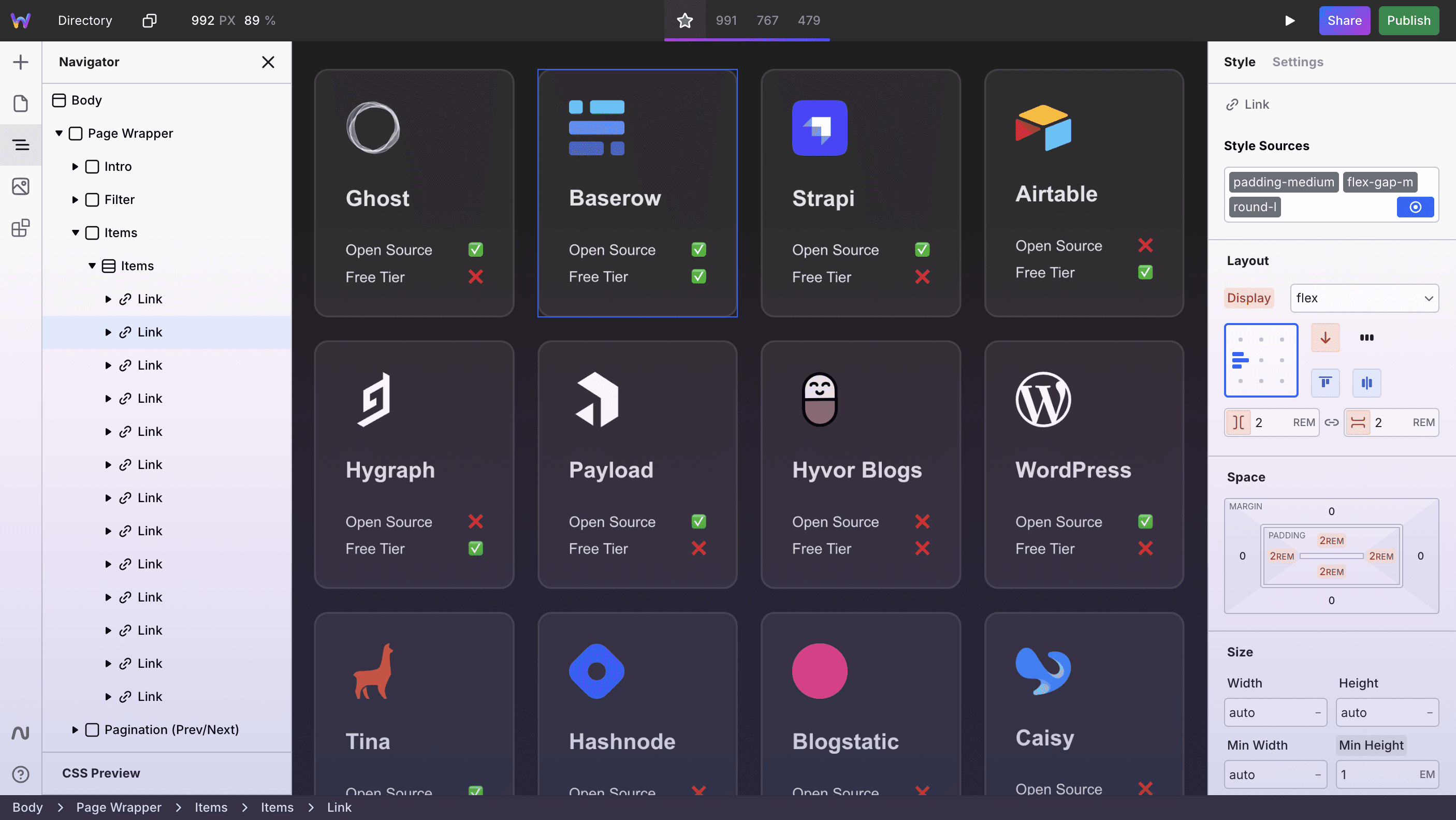
If you've been hunting for a website builder that doesn't treat you like a child or require a computer science degree, you've probably stumbled across Webstudio. It's been making waves in the no-code community, positioning itself as an open-source alternative to Webflow. But does it actually deliver, or is it just another tool that promises the moon and delivers a flashlight?
Let's cut through the marketing speak and figure out whether Webstudio deserves a spot in your toolkit—or if you should keep scrolling.
What Exactly Is Webstudio?
Webstudio is an open-source visual website builder that lets you create fast, responsive websites without writing code (though you can if you want to). Think of it as the middle ground between drag-and-drop simplicity and developer-level control.
Unlike proprietary platforms that lock you into their ecosystem, Webstudio gives you options: use their cloud hosting or self-host on your own infrastructure. That flexibility alone sets it apart from competitors like Wix or Squarespace, which keep you firmly on their servers.
The platform uses modern web standards—meaning your sites load quickly and play nice with search engines. And because it's open source, there's a growing community constantly improving it and building integrations.
The Good Stuff: Where Webstudio Shines
It's Actually Free to Start
The Hobby plan costs exactly zero dollars. You can build real projects, experiment with the interface, and learn the ropes without pulling out your credit card. For students, side-hustlers, or anyone testing the waters, this is a genuine advantage.
You Own Your Data (Really)
Because Webstudio is open source, you're not at the mercy of a company that could change pricing, shut down features, or hold your content hostage. Self-hosting means complete control over your data—a big deal if you're building for clients or handling sensitive information.
Performance That Doesn't Embarrass You
Webstudio sites are genuinely fast. The platform generates clean code and optimizes for performance out of the box. In a world where bloated page builders create websites that load like molasses, this matters more than you might think.
Design Freedom Without the Overwhelm
The visual editor strikes a nice balance. You get granular control over layouts, spacing, and responsive behavior without drowning in options. If you've used Webflow, the learning curve will feel familiar but less steep.
Collaboration Built In
Real-time collaboration means your team can work together without the "who has the latest version?" chaos. For agencies or in-house teams, this feature alone justifies the Pro plan.
The Not-So-Good: Where It Falls Short
The Learning Curve Is Real
Let's be honest—Webstudio isn't Wix. If you've never touched CSS concepts like flexbox or grid, you'll need to invest time learning. The interface assumes you understand basic web design principles. Complete beginners might feel lost initially.
Template Selection Is Limited
Unlike mature platforms with thousands of templates, Webstudio's library is still growing. You'll often start from scratch or with minimal starting points. That's liberating if you're a designer; frustrating if you need something up and running by Thursday.
The Ecosystem Is Young
Webstudio launched relatively recently, so the plugin ecosystem, third-party integrations, and community resources aren't as robust as established competitors. You might hit walls where Webflow has a ready-made solution and Webstudio requires workarounds.
Support Depends on Your Plan
Free users rely on community forums and documentation. If you need hand-holding or quick answers, you'll want a paid plan—and even then, support isn't as comprehensive as platforms with decades of infrastructure behind them.
Pricing: What You'll Actually Pay
Here's where Webstudio gets interesting:
- Hobby Plan: Free forever. Perfect for personal projects and learning.
- Pro Plan: $20/month. Includes 100,000 monthly page views, custom domains, and advanced features.
- Pro Lifetime Tiers: One-time payments of $499 (T2) or $999 (T3) for lifetime access. If you're building long-term, this beats subscription fatigue.
- Enterprise: Custom pricing for teams needing dedicated support and higher limits.
Compared to Webflow's $14–$39/month plans (which can balloon with add-ons), Webstudio's pricing is refreshingly straightforward. The lifetime options are particularly compelling for agencies managing multiple client sites.
Who Should Actually Use Webstudio?
You'll love it if:
- You want control over your hosting and data
- You're comfortable with design fundamentals (or willing to learn)
- You value performance and clean code
- You're building for the long haul and hate subscription creep
- You appreciate open-source philosophy
Look elsewhere if:
- You need a site live tomorrow with zero learning curve
- You require extensive e-commerce features (Shopify or Wix are better bets)
- You want thousands of pre-built templates
- You need enterprise-grade support immediately
The Verdict: Worth It or Waste of Time?
Webstudio isn't perfect, but it's genuinely impressive for where it is in its lifecycle. If you're willing to invest a few hours learning the interface, you'll end up with a powerful tool that doesn't nickel-and-dime you or lock you into a walled garden.
For freelancers, agencies, and small businesses that value ownership and performance, Webstudio is absolutely worth exploring. The free plan removes all risk—you can try it, build something real, and decide if it fits your workflow.
Is it a Webflow killer? Not yet. But it's heading in the right direction, and the open-source model means it'll only get better as the community grows.
Bottom line: Start with the free Hobby plan. Build a landing page or portfolio. If it clicks, upgrade to Pro. If it doesn't, you've lost nothing but a few hours—and you might've learned something about web design along the way.
Ready to Try Webstudio?
The best way to know if Webstudio fits your needs is to actually use it. Grab the free Hobby plan, follow a tutorial or two, and see if the interface makes sense for your brain. No credit card required, no pressure.
And if you're serious about building fast, maintainable websites without vendor lock-in? Webstudio might just become your new favorite tool.