
Vowen Review: A Free, Privacy-First Dictation App That Works Offline
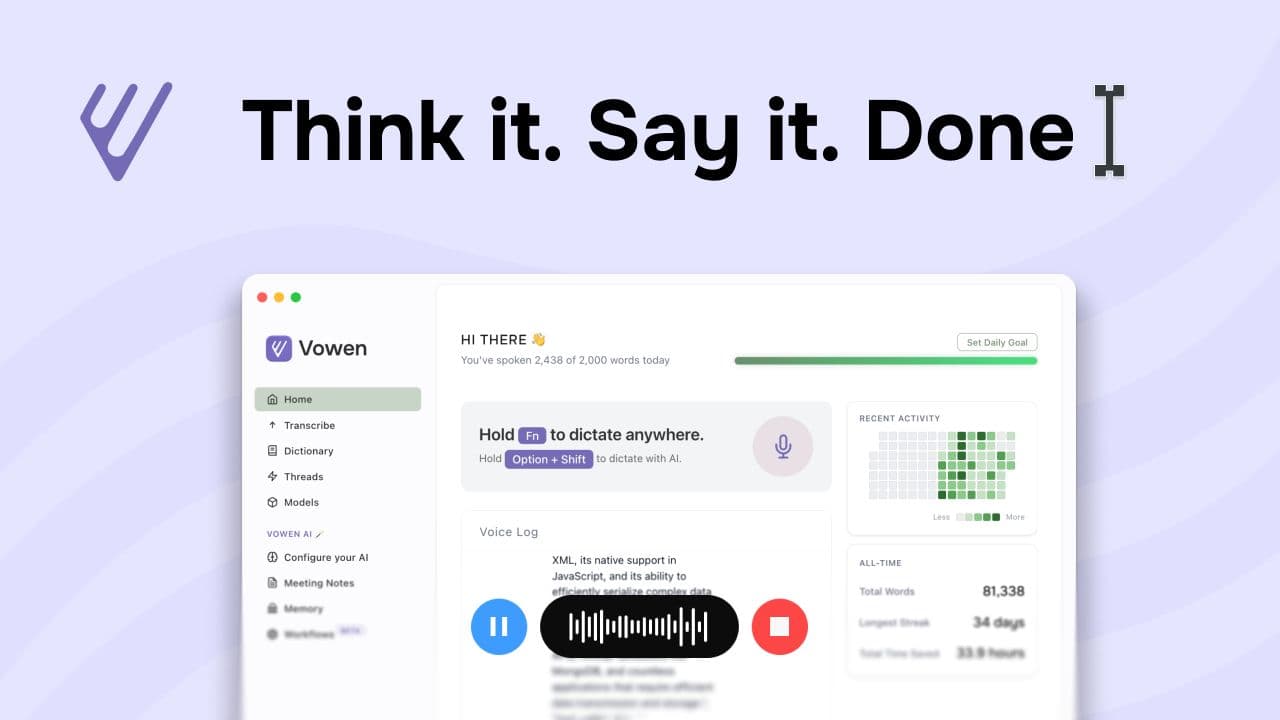
Vowen is a privacy-first voice-to-text app that turns speech into text inside the apps you already use. It runs transcription locally, so your voice data stays on your device. It also layers in optional AI help if you choose to connect an API key. In plain terms, this Vowen review comes down to one question: do you want fast dictation without a subscription tax?
What is Vowen, exactly?
Vowen positions itself as “voice to text, supercharged by AI” with a clear emphasis on privacy and offline operation. The headline claim matters because many dictation tools treat the cloud as the default. Vowen flips that assumption. It runs transcription with local, open-source AI models and it keeps your audio data on-device, according to the product site’s “privacy first” messaging and offline focus.
In practice, think of Vowen as two layers. First, it provides instant dictation so your words appear where your cursor sits. Second, it offers optional AI workflows that can summarize and rewrite, which you can power by connecting your own provider via an API key. That separation creates a helpful mental model: dictation can stay offline while “AI writing partner” features may depend on your configuration.
Why offline voice-to-text matters
Voice dictation sounds like a small convenience until you measure it. Typing at roughly 40 WPM versus speaking around 150 WPM changes how quickly you can externalize ideas, according to Vowen’s own time-saved framing on its site. That gap translates into a real workflow advantage for emails, notes, outlines, and first drafts.
The bigger shift, though, involves trust. Cloud dictation often implies accounts, billing, and unclear retention rules. Conversely, offline dictation reduces exposure because your raw voice data does not need to leave your machine. For a general audience, that privacy posture feels less like a technical feature and more like psychological safety. You speak more freely when you do not wonder where the audio goes.
Technical Info
On-device transcription in 99 languages
Vowen transcribes speech using local AI models and it supports 99 languages. That specification matters for multilingual households and international students. It also matters for accuracy because model choice often drives performance across accents.
Local transcription has practical implications. You may see higher CPU usage during long dictation sessions. You also may need disk space for models. That is the price of keeping the work on your computer.
“Speak naturally in any app”
This is the centerpiece of a good Vowen app review because it speaks to friction. Vowen aims to let you dictate into whatever you already use, which protects your habits and reduces switching costs. You do not want a separate editor window. You want your words inside Gmail, Notion, Word, Slack, or your IDE.
File transcription plus VTT and SRT exports
Vowen can transcribe uploaded audio or video locally and it can export subtitle files in VTT or SRT formats. That feature quietly expands the audience. It helps creators who need captions. It helps students who want searchable lecture transcripts. It also helps teams who archive meetings and want text without sending recordings to a third party.
Optional AI via “bring your own API key”
Vowen promotes a “connect your AI” approach where you bring your own API key for advanced tasks like summaries or drafting. This design can feel more honest than bundling an expensive subscription. You control the costs and you also control which provider touches your data.
Custom vocabulary and shortcuts
Vowen supports custom vocabulary and shortcuts and it can learn them to format and enhance what you say. This is where accuracy turns from “pretty good” into “usable every day.” Add product names, acronyms, client names, and jargon you repeat. Dictation stops fighting you once it understands your world.
System requirements and versions
As of the current downloads shown on Vowen’s site, the macOS build targets Apple Silicon and requires macOS 14.0 or later. The Windows build requires Windows 10 or later. That requirement will exclude some older machines, so check before you commit. The site also notes that a Linux version is coming soon.
Who should use Vowen?
Writers, students, and busy professionals
If you write for a living, Vowen’s best use is the ugly first draft. Speak your outline. Speak your rough paragraphs. Edit later with a calmer brain. That workflow feels like clearing brush before you build a house.
Students benefit for similar reasons. Dictation captures thoughts before they evaporate. File transcription also helps turn recorded lectures into searchable notes. You still need to review and correct, though. Dictation accelerates capture, not truth.
Developers and technical learners
Developers can use Vowen for commit messages, documentation, and quick “thinking out loud” notes. That can sound silly until you try it. Explaining a bug in plain language often reveals the fix faster than silent staring.
Accessibility and RSI-conscious users
For anyone who finds typing painful, voice-first input changes the ergonomics of the day. Vowen’s promise of no signup and offline operation reduces barriers. You install it and you start.
Setup and daily workflow tips
Start small. Install Vowen, then test dictation in two places you already live in. Next, add custom vocabulary for the words it gets wrong. After that, decide whether you want AI summaries. If you do, connect an API key and keep a clear boundary between offline dictation and cloud AI usage.
Accuracy improves with basics: a decent mic, a quiet room, and consistent pacing. Do not mumble. Do not sprint. Speak like you are teaching someone, not like you are racing a deadline.
Vowen Pros
- Runs locally for privacy-first transcription
- Free forever with no subscriptions
- No signup required to get started
- Dictation works across apps
- Bring your own API key for AI
- Supports 99 languages for dictation
- Export subtitles as VTT or SRT
Vowen Cons
- Early versions may feel rough
- AI add-ons need your own key
- macOS requires 14.0 or later
- Local models can use CPU
- Storage needed for AI models
- Some workflows need setup time
Vowen Rating
Rating: ⭐⭐⭐⭐☆ (4.3/5)
Vowen earns a strong score because it combines three rare traits in one package: offline transcription, no account friction, and a “free forever” promise. Consequently, it removes the two biggest blockers for casual users: cost and privacy anxiety. The tradeoff shows up in polish and maturity since the app still feels early in its versioning. Even so, the core experience works and it targets everyday writing wins.
Our Verdict
Vowen delivers offline, privacy-first dictation that stays free. If you want voice-to-text in any app with optional AI via your own key, install it. Expect minor rough edges and higher CPU use on long sessions.